Cloud BOT Operator

What is Cloud BOT Operator
Cloud BOT Operator is an AI agent that automatically performs browser operations based on natural language instructions.
The AI agent runs as part of a BOT scenario and can flexibly handle everything from operations such as clicking, data entry, and copy-and-paste to complex tasks such as data processing and extraction, all in accordance with the given instructions.
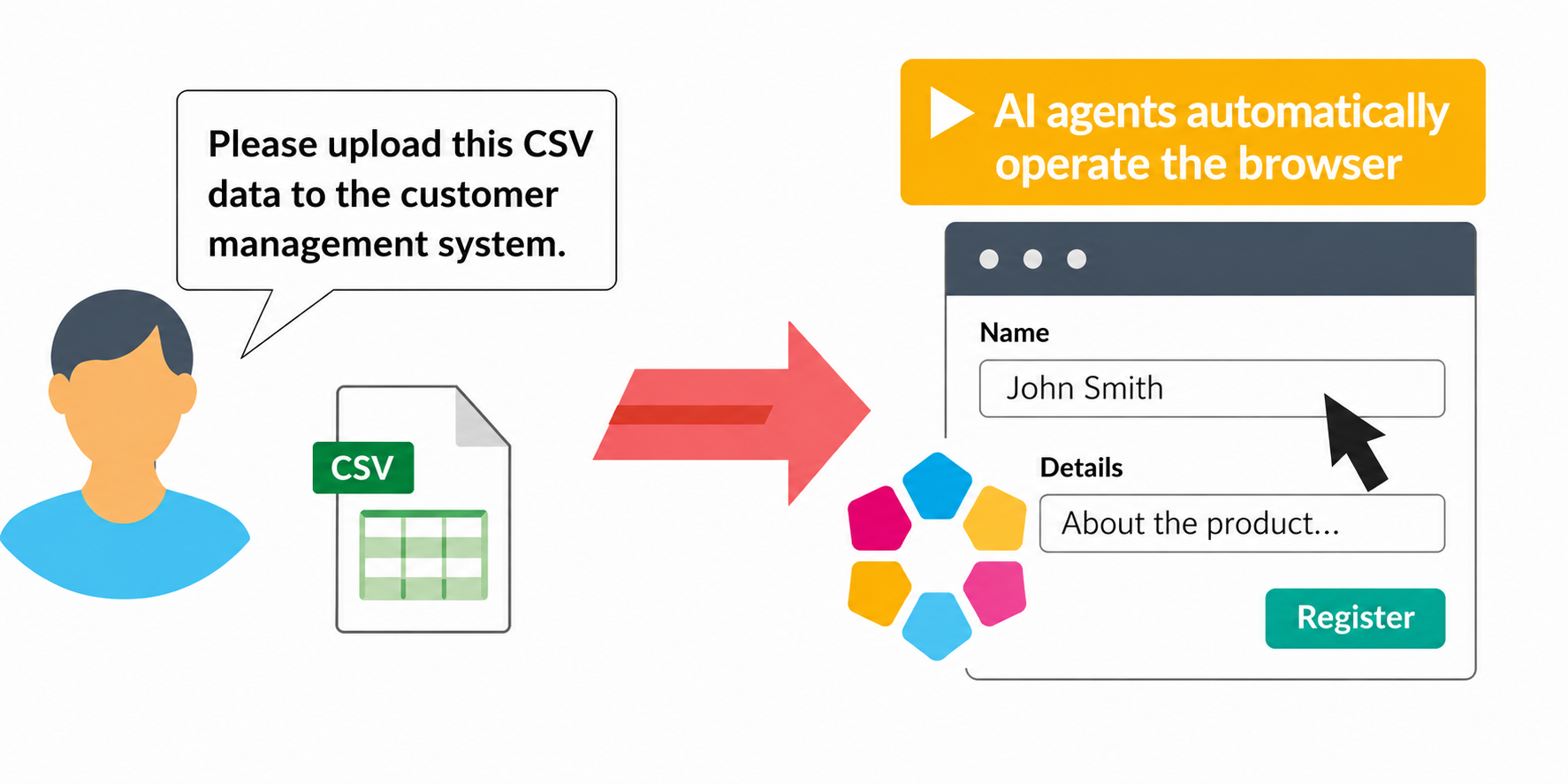
Various Execution Options
Improving Accuracy with 'Structure Recognition' and 'Visual Recognition'
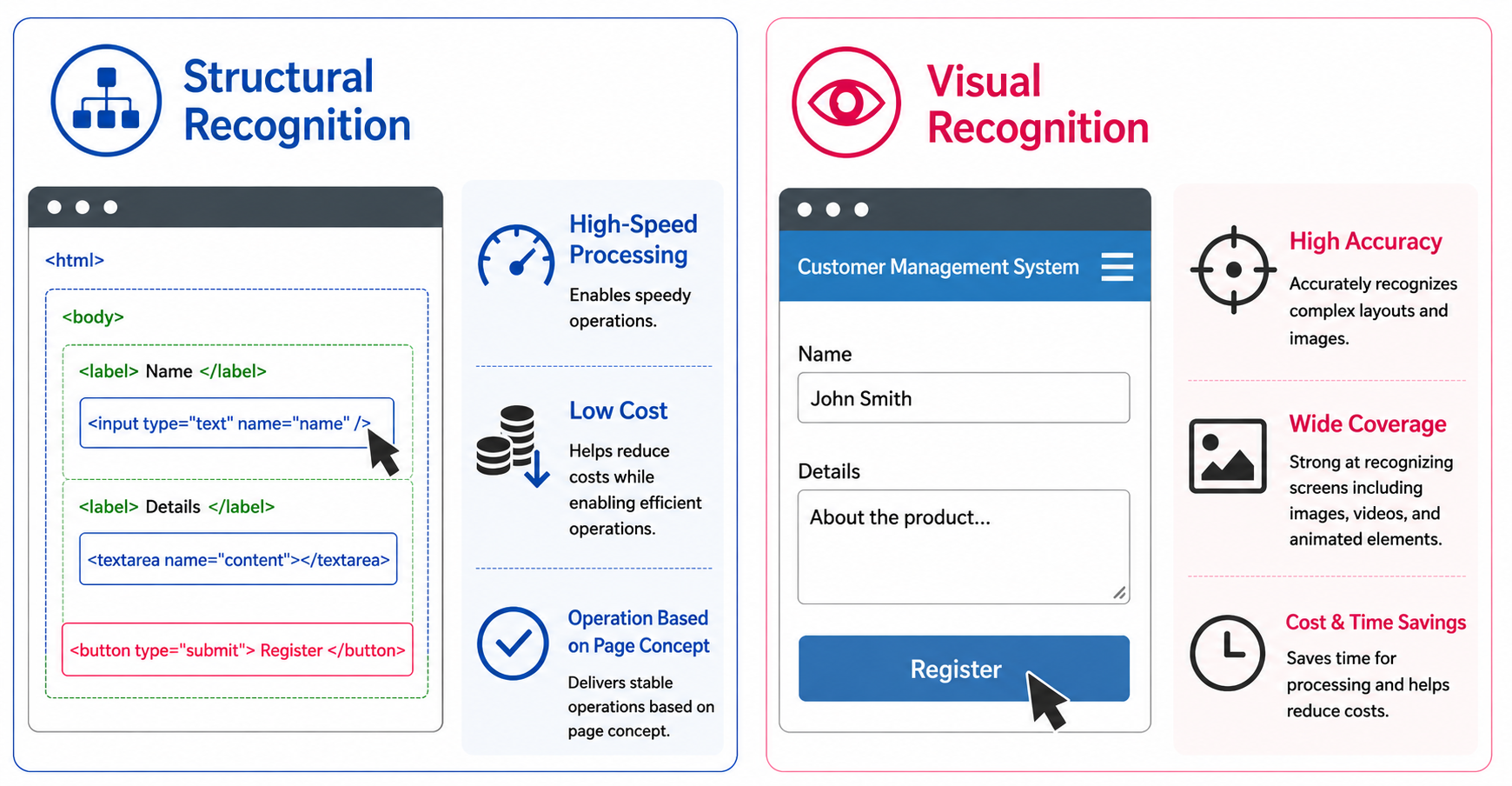
Two built-in modes enable flexible browser operations.
- Structure Recognition: Understands the internal structure of the page to perform automated operations. Enables fast processing and is suited for cost-efficient operation.
- Visual Recognition: Recognizes the page as a screen and operates based on its appearance. Capable of judgment close to human perception, allowing it to handle complex screens, though cost and processing time are slightly higher.
- Enabling both allows the AI to work efficiently with structure recognition by default, using visual recognition only when needed. By combining structural and visual information, it achieves high accuracy and handles a wide range of screens.
Restricting Operation Scope for Safe Automation
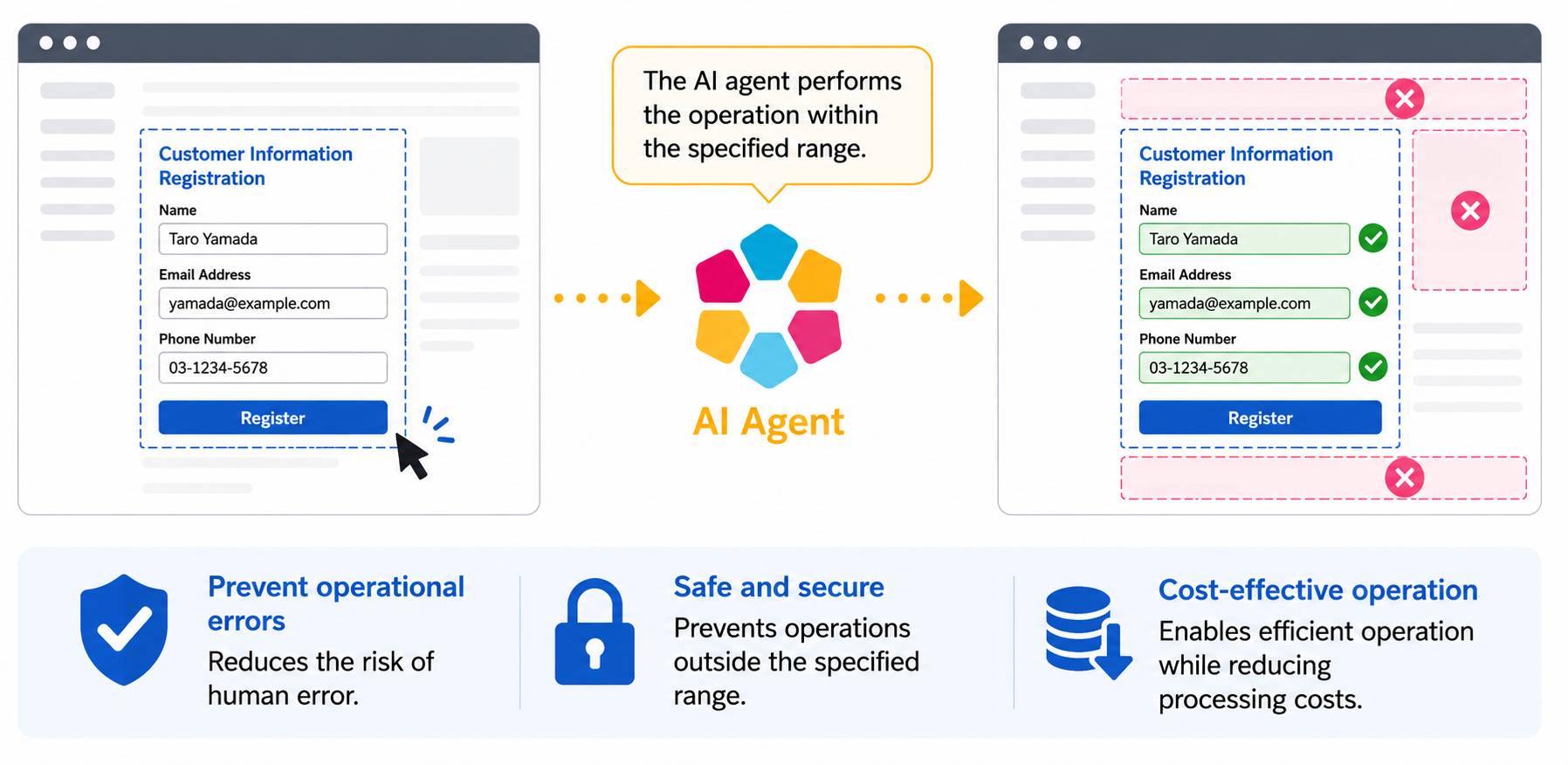
By precisely restricting the execution scope of the AI agent, you can prevent unintended operations and safely automate only the necessary areas.
Permission Control
You can configure the range of operations permitted for the AI agent in three levels.
| Setting | Description | Use Case |
|---|---|---|
| Full Access | Freely operates the browser according to the prompt | Form input, data registration |
| Read-Only Access | Browser operations prohibited. Screen reading only | Screen data extraction, status monitoring |
| No Access | Browser access prohibited. Data processing only | Text data processing |
Screen Range Restriction
Restricts the screen area accessible to the AI agent. By limiting viewing and operations to within the specified range, it prevents accidents caused by misrecognition while also reducing processing costs.
Features to Further Enhance Performance
Reasoning Mode
Enabling this mode for cases that require more complex situational judgment improves the AI agent's decision-making accuracy. It is effective for irregular screen layouts that are difficult to handle in standard mode, and for operations involving multiple conditions. Cost increases when enabled.
Batch Processing Mode
The AI automatically identifies operations that can be processed together—such as form input and data copying—and executes them in a single step. By reducing the number of processing steps, costs are lowered, making it especially effective for tasks with many repetitive operations.
Allow JavaScript Execution
Allows the AI agent to generate and execute JavaScript as needed. This enables advanced processing such as bulk data updates and DOM manipulation that would be difficult with standard browser operations, greatly expanding the scope of automation.
Available AI Models
You can select the optimal AI model based on your use case and cost requirements.
| Model Name | Features | Speed | Cost | Selectable AI Models |
|---|---|---|---|---|
| Simple | The lightest model for simple operations. | Fastest | Low |
・gpt-5.4-nano ・gemini-3.1-flash-lite ・gemini-3.5-flash-lite |
| Assist | A model for standard operations. | High-speed | Standard |
・gpt-5.6-luna ・gpt-5.4-mini ・gemini-3-flash-preview |
| Control | A high-performance model for complex operations. | Low-speed | High |
・gpt-5.6-terra ・gpt-5.4 ・gemini-3.1-pro-preview |
| Expert | A model for the most advanced and difficult operations. | Low-speed | High |
・gpt-5.6-sol ・gpt-5.5 |
Use Cases of Cloud BOT Operator
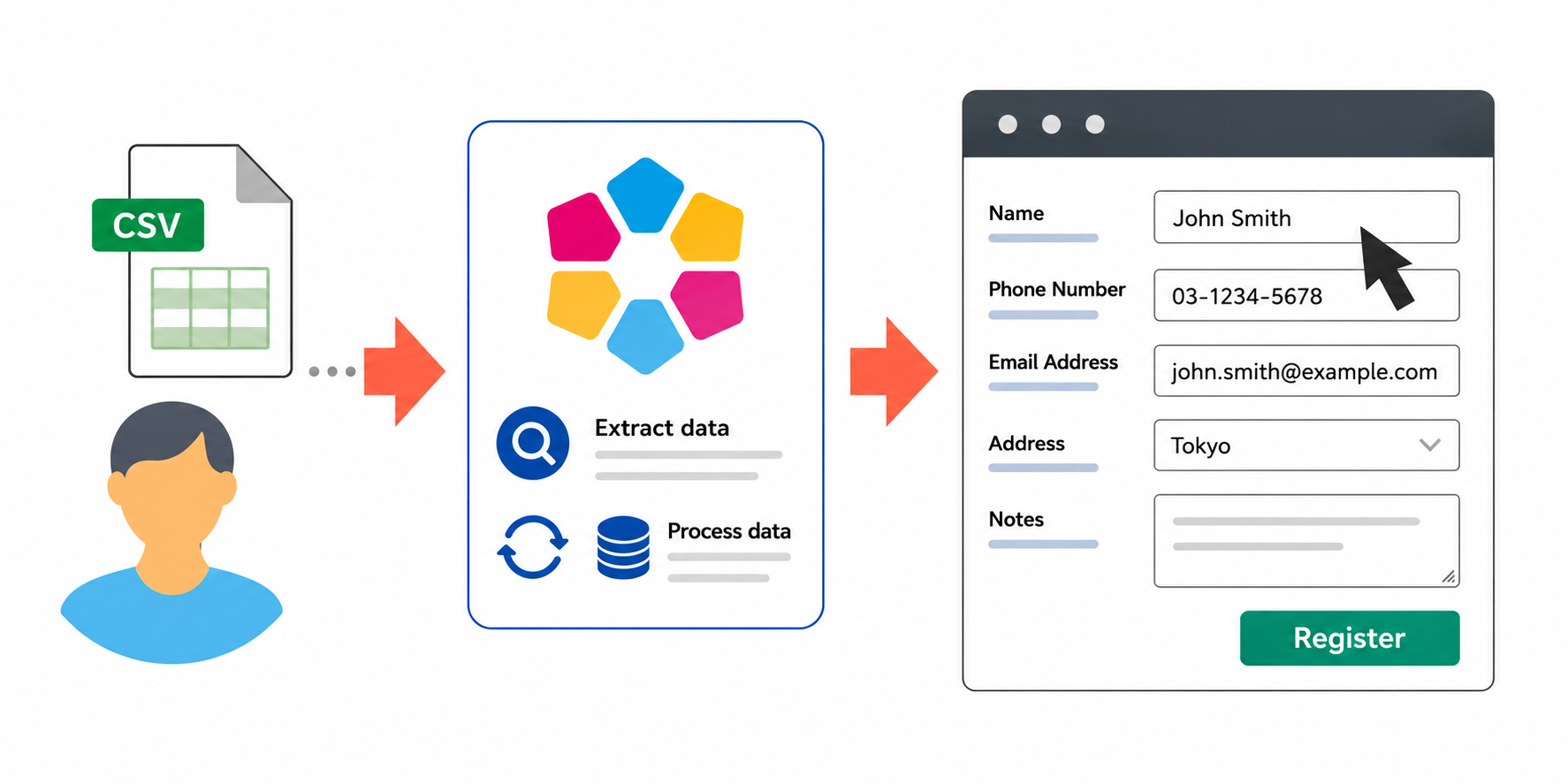
Automatic Input of CSV Data into Websites
Reads data from CSV files and automatically enters it into the target website. The AI agent automatically identifies input fields and handles data correction and conversion, enabling flexible handling even when form structures are complex or field names do not match.
AI's role: Identifying input fields on the website, data correction and conversion
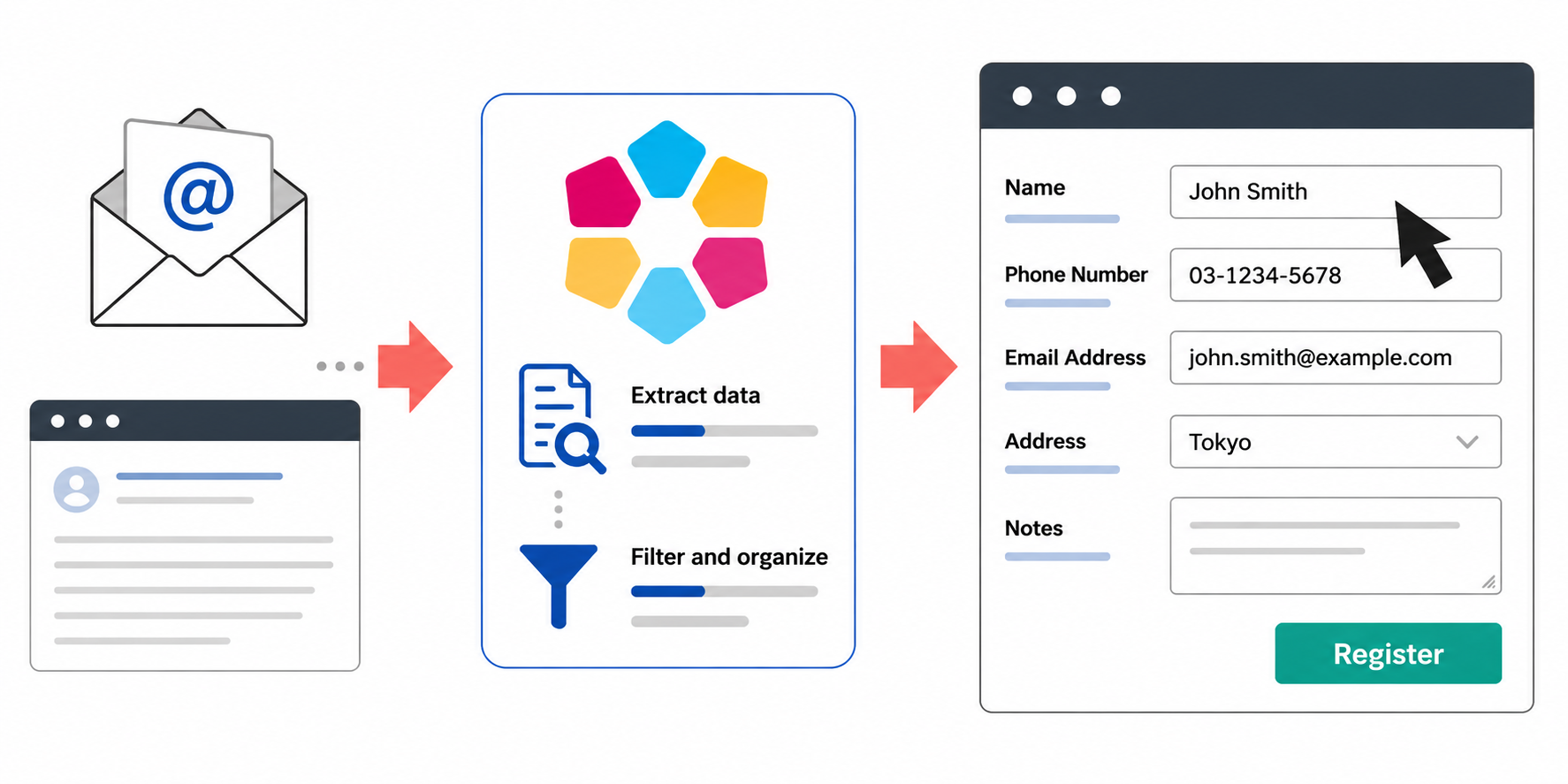
Automatic Transfer of Email Content to Websites
Extracts and summarizes necessary information from received emails and automatically transfers it to the target website. Even when email content varies each time, the AI agent interprets the content and enters it into the appropriate fields.
AI's role: Data extraction and summarization from email body, identifying input fields on the website
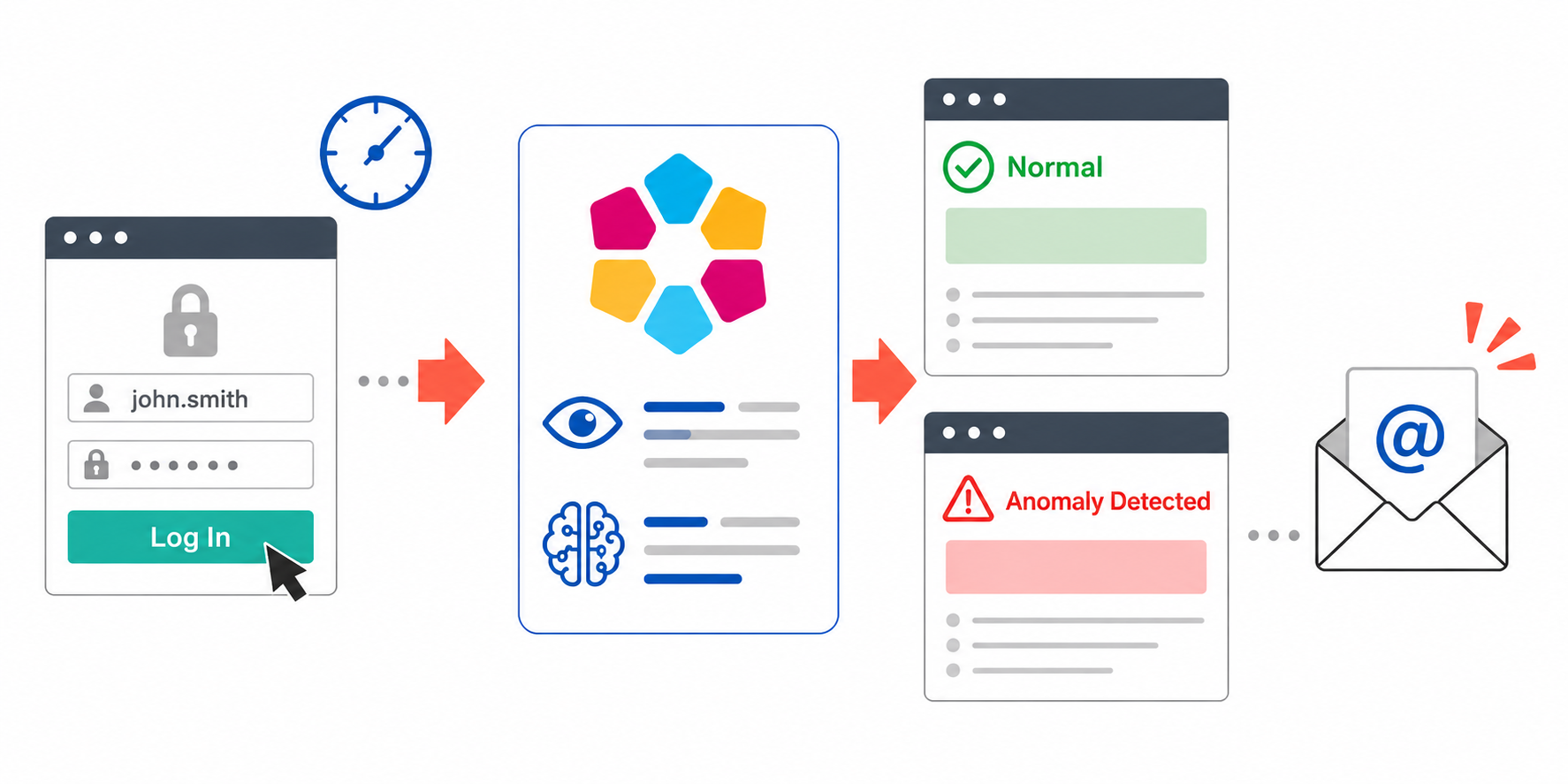
Periodic Website Monitoring and Anomaly Detection Email Notifications
Automatically logs into a website and periodically checks the screen status. The AI agent evaluates the content and sends an email notification if an issue is detected. This automates manual visual checks and prevents oversights.
AI's role: Reading screen status and evaluating content, anomaly detection
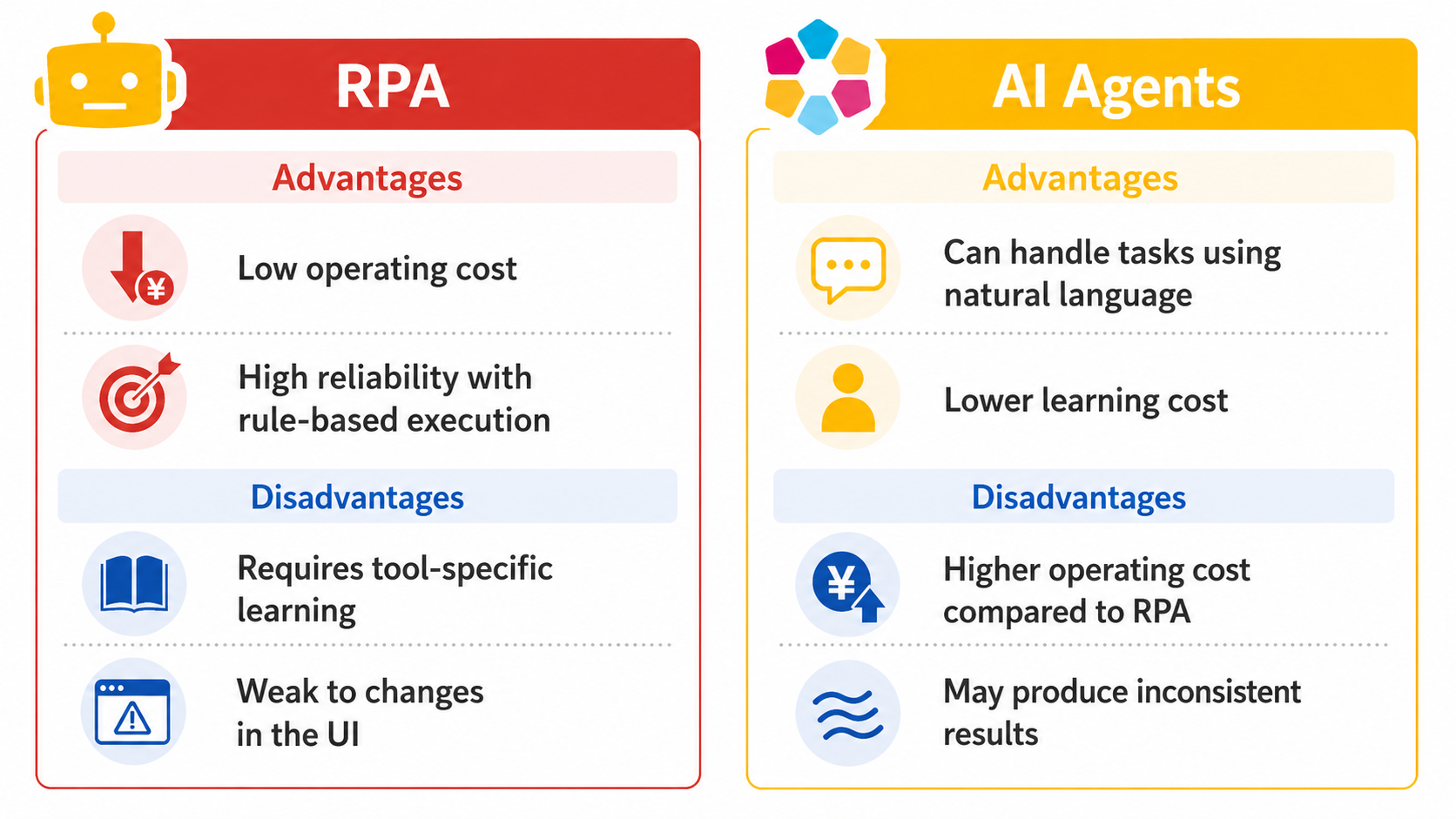
Hybrid Use of RPA and AI Agents
Cloud BOT realizes hybrid browser automation combining RPA and AI agents. The AI agent handles flexible judgment and instruction interpretation, while RPA handles stable and low-cost routine operations, enabling automation that maximizes the strengths of each.
By combining RPA and AI agents according to your use case and business needs, you can build more efficient and intelligent business automation.
Differences Between RPA and AI Agents
Precautions
- Please be aware that AI may perform actions different from the user's intention. Use with caution.
- Some data necessary for processing may be sent to external services. For details on the integrated services and the data involved, please refer to the List of Features Using External Services.


- News&Topics
-
[Important] [Effective October 1] Changes to Your Contract Details Following the Integration of BOT Execution Time into Transactions2026.09.01
-
Notice of Changes to the Execution Log Retention Period for the Community Plan2026.09.01
-
Cloud BOT Gateway version 10.1.5 has been released.2026.08.04
-
Storage Usage Alert Email Notifications Now Available2026.07.30
-
Notice Regarding the Unification of Usage Units2026.07.29