Flow
Connect BOT and automate entire business workflows.
Flow is a BOT that connects multiple BOTs and runs them in sequence.
It helps you organize business flows clearly and keep each BOT simple, so you get automation that is easy to understand in structure and straightforward to maintain.

Flow is currently provided as a beta feature.
It is available to all users at no additional cost.
Link multiple BOTs and run them as one BOT
Flow is a BOT that connects individually created BOTs and executes them along your business process.
In addition to running BOTs in order, you can set conditional branches and loops, allowing you to automate tasks across multiple steps as one process.
Combine smaller automations to achieve larger, end-to-end business automation.
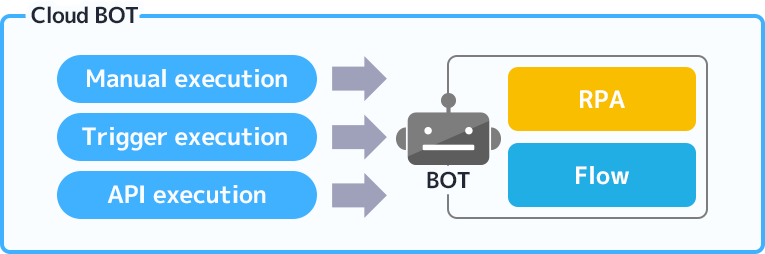
How Flow is structured in Cloud BOT
Flow works as a "BOT," just like RPA.
In Cloud BOT, both RPA and Flow are treated as "BOTs."
When you save a Flow you have built, it is registered in the BOT list just like RPA and can be started from triggers such as schedules or email receipt, as well as manual or API execution.
RPA automates by recording browser operations, while Flow automates by linking BOTs created for each step into a single end-to-end business workflow.
Their roles differ, but how they are executed and managed is the same.
What you can do with Flow
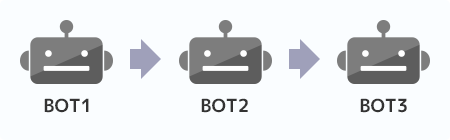
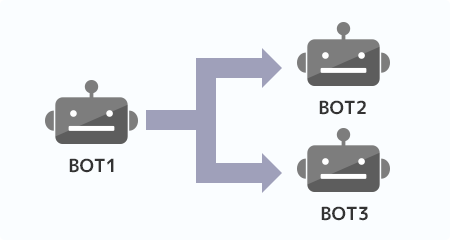
Connect and run BOTs
You can connect multiple BOTs and run them in order. By linking BOTs created for each role in Flow, you can automate a full sequence of tasks such as data collection, processing, and registration. Tasks that are often fragmented can be managed and executed as one flow.
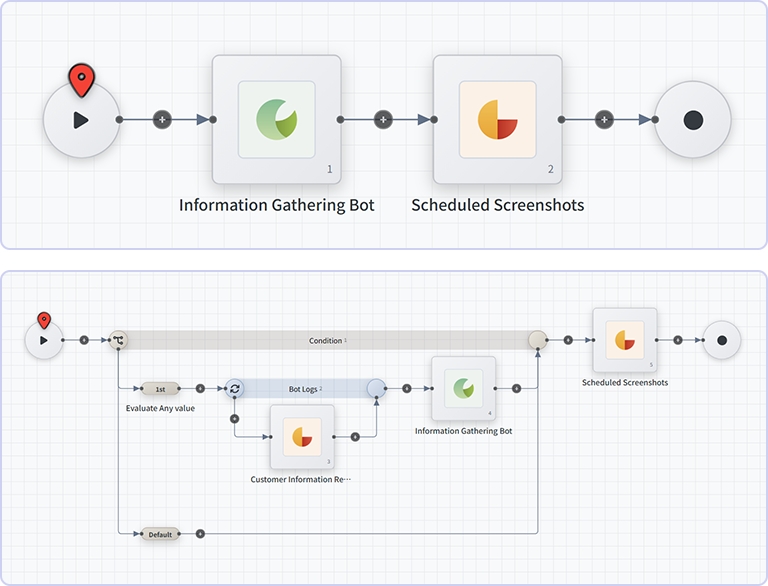
Branch based on results from previous BOTs
You can branch the next process based on the execution result of the previous BOT or the content of acquired data. By switching routes according to conditions, you can flexibly control normal paths, exception paths, and confirmation handling, and automate workflows closer to actual business operations.
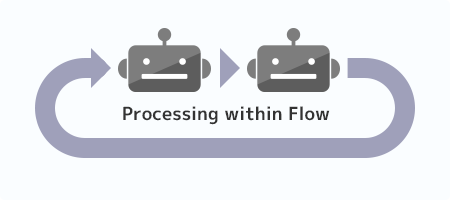
Loop processing
The sequence of steps you build in Flow can be run repeatedly according to conditions and settings. This makes it easier to automate routine work and large-scale data processing efficiently, and to carry out repetitive tasks that would otherwise take significant effort.
Flow use cases
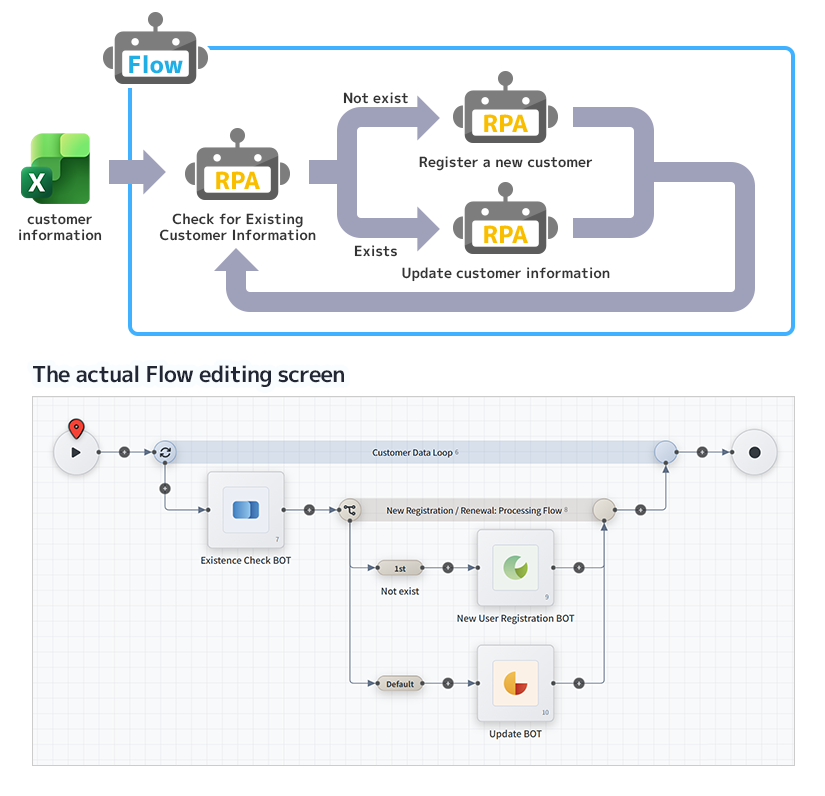
You can structure an end-to-end flow in Flow that switches what each step does depending on the state of the data.
For example, when you implement a process that updates customer data based on Excel data, Flow lets you split the work into steps such as the following:
· A step that checks registration status (whether the customer already exists)
· A step that registers new customer information
· A step that updates existing customer information
Each can be implemented as an independent unit (a BOT) and then integrated and run as a single flow. This improves BOT maintainability and enables more efficient operations.
- 1. Receive Excel data and start execution
- 2. Run a BOT that checks whether existing data is present
- 3. Depending on the result, run either the new registration BOT or the update BOT
- 4. Repeat steps 2–3 for each row in the Excel sheet
Future direction of Cloud BOT
With Flow, it is now possible to connect multiple BOTs and automate them as end-to-end business workflows.
Going forward, Cloud BOT will evolve beyond standalone automation into a mechanism that optimizes entire operations by linking services and systems together.
You can learn more about this broader platform vision on the What is Cloud BOT? page.

- News&Topics
-
[Important] [Effective October 1] Changes to Your Contract Details Following the Integration of BOT Execution Time into Transactions2026.09.01
-
Notice of Changes to the Execution Log Retention Period for the Community Plan2026.09.01
-
Cloud BOT Gateway version 10.1.5 has been released.2026.08.04
-
Storage Usage Alert Email Notifications Now Available2026.07.30
-
Notice Regarding the Unification of Usage Units2026.07.29